How browsers fetch and render pages
See what really happens between typing a URL and seeing a finished page. This quiz walks through networking, parsing, the critical rendering path, and performance-related browser behavior. Expect a mi...
Start Quiz
Pick a difficulty and question count to begin.
About this quiz
What you’ll learn in this browser rendering quiz
From DNS and TCP/TLS to HTML parsing and painting, these questions map the full journey of a web page. You’ll practice connecting browser internals to the symptoms you see in DevTools.
Every question uses 4 options and there’s no timer, so you can think through the sequence of events and the “why” behind each step.
Difficulty, length, and how it’s balanced
Difficulty is mixed on purpose: you’ll get quick wins on core concepts (requests, caching, DOM/CSSOM) alongside deeper items (preload scanner, render-blocking, compositing). Choose your question count and difficulty before you start to tailor the session - short for review, longer for mastery.
Common pitfalls this quiz helps you avoid
Many learners mix up parsing vs rendering, or assume scripts always run after HTML is finished. Others overlook how CSS blocks rendering, when images affect layout, or what actually triggers layout/reflow.
- Confusing DOM construction with the render tree and layout steps
- Misunderstanding how CSS and synchronous scripts block first paint
- Treating caching headers and service workers as the same thing
- Mixing up reflow (layout) vs repaint vs compositing
- Forgetting the impact of async/defer, preload, and preconnect
Who this is for
It’s a solid fit for Web Basics learners, frontend developers, and anyone preparing for interviews or performance work. By the end, you should be better at predicting what the browser will do next - and how to speed it up safely.
Sample questions
What protocol do browsers primarily use to fetch web pages?
- A.HTTP
- B.FTP
- C.SMTP
- D.DNS
What does HTML stand for?
- A.HyperText Markup Language
- B.HyperText Machine Language
- C.HighText Markup Language
- D.HyperText Markup Link
Which component of a browser is responsible for rendering web pages?
- A.Rendering Engine
- B.Web Server
- C.JavaScript Engine
- D.Network Module
Quiz FAQ
How many questions are in this quiz?
This quiz has 119 questions covering how browsers fetch resources and render pages.
What format are the questions in?
Each question is multiple-choice with 4 options, and there is no timer.
Can I choose the number of questions and difficulty?
Yes. Pick your preferred question count and difficulty before starting to match your study time and skill level.
What topics does it cover besides HTML and CSS?
It also includes DNS, TCP/TLS, caching, the critical rendering path, JavaScript loading, and paint/compositing concepts.
Is this quiz suitable for beginners?
Yes, it’s mixed difficulty, so beginners can learn fundamentals while advanced players get deeper browser-behavior questions.
Play this quiz in another language(7)
Related Quizzes
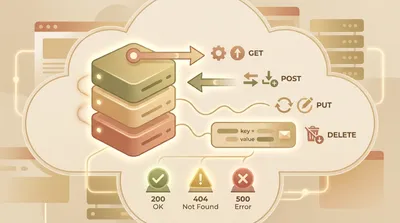
HTTP methods, headers, and status codes
Test your knowledge of HTTP methods, request/response headers, and status codes used in everyday web development. You’ll work through real-world scenarios like caching, redirects, authentication, and API design. Great for sharpening fundamentals before interviews or debugging production issues.

URLs and domains: parts and rules
Decode URLs and domain names with confidence in this Web Basics quiz. You’ll identify parts like scheme, host, path, query, and fragment, and apply practical rules around ports, encoding, and DNS. Choose your preferred question count and difficulty to match your study goal - practice is untimed and focused.

Computer Hardware Components And Roles
Match key PC components to what they do and how they affect performance. Covers CPU, GPU, RAM, storage types, motherboards, power supplies, and ports.

Cloud Computing Service Models Explained
Check your understanding of how cloud services are delivered and used. Covers IaaS, PaaS, SaaS, containers vs VMs, regions/availability zones, and shared responsibility basics.

Cybersecurity Threats And Defenses
Identify common cyber threats and the best defensive practices used to reduce risk. Covers phishing, malware, passwords, MFA, encryption basics, and safe browsing habits.

Programming Language Syntax Basics
Test your knowledge of common programming syntax across popular languages. Questions focus on variables, loops, functions, and basic data structures without requiring deep computer science theory.