URLs and domains: parts and rules
Decode URLs and domain names with confidence in this Web Basics quiz. You’ll identify parts like scheme, host, path, query, and fragment, and apply practical rules around ports, encoding, and DNS. Cho...
Start Quiz
Pick a difficulty and question count to begin.
About this quiz
What you’ll practice
URLs look simple until you need to explain what each piece does. This quiz helps you read and build web addresses correctly, from protocol and subdomains to paths, parameters, and fragments.
Expect a mix of definition checks and real-world examples, including tricky edge cases like trailing slashes, default ports, and URL encoding.
Format and difficulty controls
Each question has 4 options and there’s no timer, so you can slow down and reason through the structure. Before you start, pick how many questions you want and choose a difficulty level; “Mixed” blends easy recognition with tougher rule-based items for balanced practice.
- Identify scheme, host, TLD, subdomain, path, query string, and fragment
- Spot valid vs invalid domain labels (length, characters, hyphen rules)
- Understand ports, default ports, and when they appear in a URL
- Practice percent-encoding and reserved characters in queries/paths
- Distinguish absolute vs relative URLs and common resolution behavior
Common pitfalls to avoid
Many mistakes come from confusing the path with the domain, treating fragments as server-side data, or assuming query parameter order always matters. Another frequent slip is forgetting that DNS names are case-insensitive while URL paths can be case-sensitive depending on the server.
How scoring improves your web intuition
Because questions range from quick part-identification to rule application, you’ll build both speed and accuracy. Replaying with a different question count or difficulty is a good way to reinforce weak spots without redoing the entire set.
Sample questions
What does 'HTTP' stand for in a URL?
- A.Hypertext Transfer Protocol
- B.Hypertext Transfer Process
- C.Hyperlink Text Protocol
- D.Hyper Transfer Text Protocol
Which part of a URL specifies the resource location?
- A.Path
- B.Host
- C.Protocol
- D.Query String
What is the purpose of the 'www' prefix in a domain name?
- A.It indicates a web server
- B.It stands for World Wide Web
- C.It is required for all domains
- D.It signifies a secure connection
Quiz FAQ
How many questions are in this quiz?
This quiz has 108 questions covering URL parts, domain rules, and common web address edge cases.
What format are the questions in?
Every question is multiple-choice with 4 options, and there is no timer.
Can I choose the number of questions and difficulty?
Yes. You can select your preferred question count and pick a difficulty level; Mixed combines easy and challenging items.
What topics do you cover about URLs and domains?
You’ll practice schemes, subdomains, TLDs, paths, query parameters, fragments, ports, and encoding rules.
What are common mistakes this quiz helps fix?
It targets mix-ups like confusing host vs path, misreading fragments, and overlooking encoding or domain label validity rules.
Related Quizzes

How browsers fetch and render pages
See what really happens between typing a URL and seeing a finished page. This quiz walks through networking, parsing, the critical rendering path, and performance-related browser behavior. Expect a mixed difficulty set that checks both fundamentals and real-world troubleshooting knowledge.
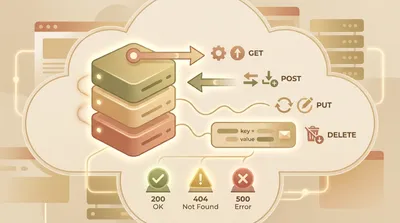
HTTP methods, headers, and status codes
Test your knowledge of HTTP methods, request/response headers, and status codes used in everyday web development. You’ll work through real-world scenarios like caching, redirects, authentication, and API design. Great for sharpening fundamentals before interviews or debugging production issues.

Computer Hardware Components And Roles
Match key PC components to what they do and how they affect performance. Covers CPU, GPU, RAM, storage types, motherboards, power supplies, and ports.

Cloud Computing Service Models Explained
Check your understanding of how cloud services are delivered and used. Covers IaaS, PaaS, SaaS, containers vs VMs, regions/availability zones, and shared responsibility basics.

Cybersecurity Threats And Defenses
Identify common cyber threats and the best defensive practices used to reduce risk. Covers phishing, malware, passwords, MFA, encryption basics, and safe browsing habits.

Programming Language Syntax Basics
Test your knowledge of common programming syntax across popular languages. Questions focus on variables, loops, functions, and basic data structures without requiring deep computer science theory.